How to unstake ETH on crypto.com Onchain wallet
Last updated: January 26, 2026
This article shows the steps to request exit on your ETH position and claiming of the ETH once it is ready.
Unstaking ETH is a 3 step process.
First is to request exit.
Monitor your exit request, until it's processed and exited by the Ethereum Network. it will take 4 - 32 days time for your ETH to be ready.
Claim - Then you will need to manually claim your ETH back to your wallet address.
Step 1: Request Exit
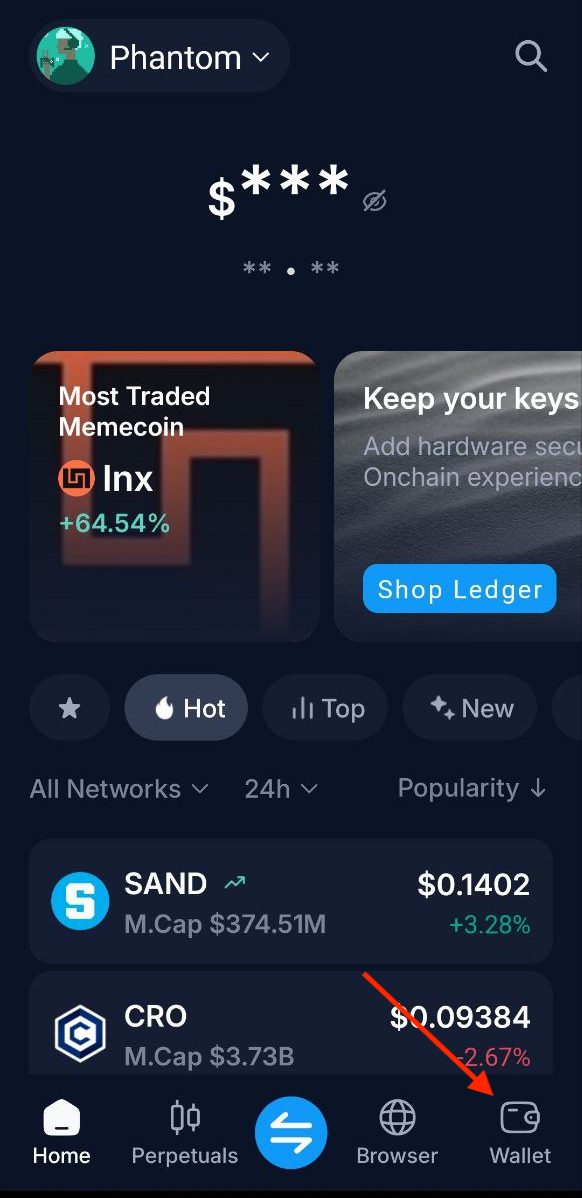
Click on the Wallet section from Onchain wallet homepage.
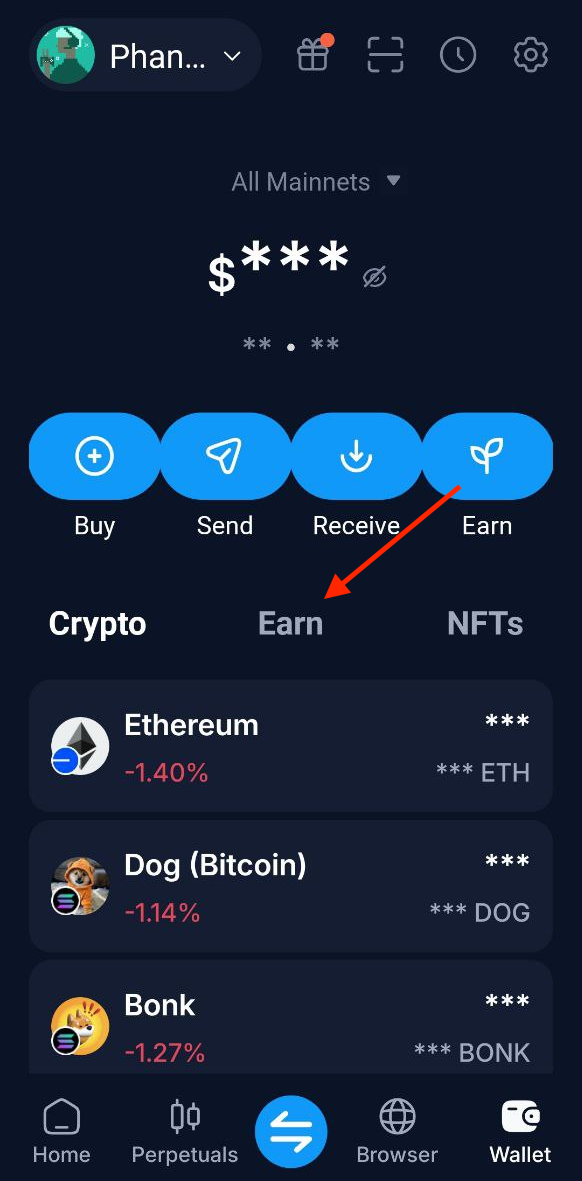
Click on the Earn tab from the wallet page.
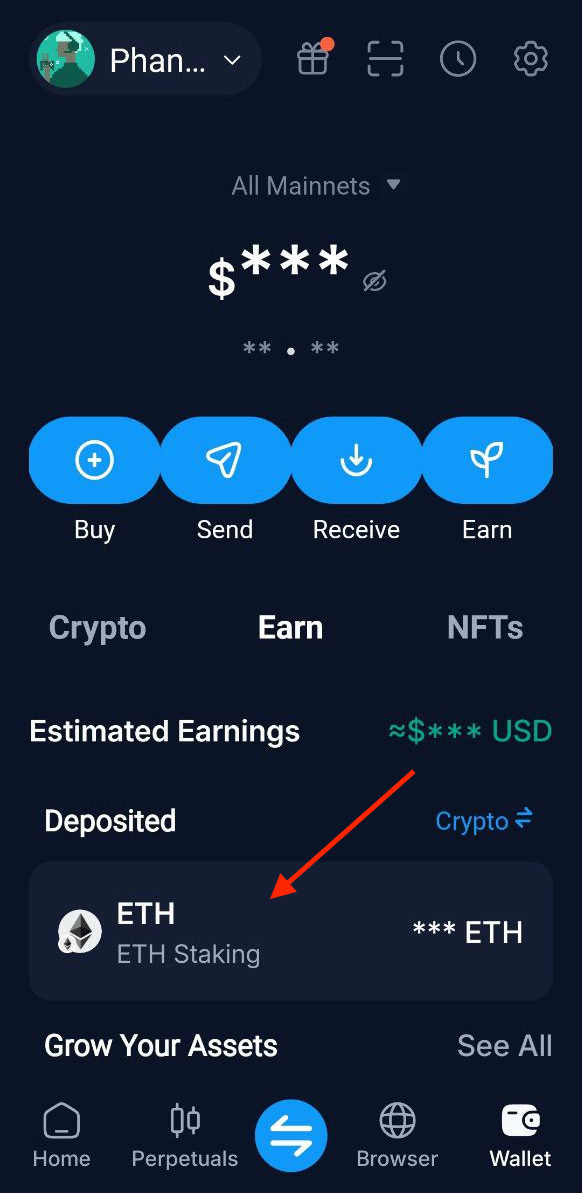
Click on your ETH staking position
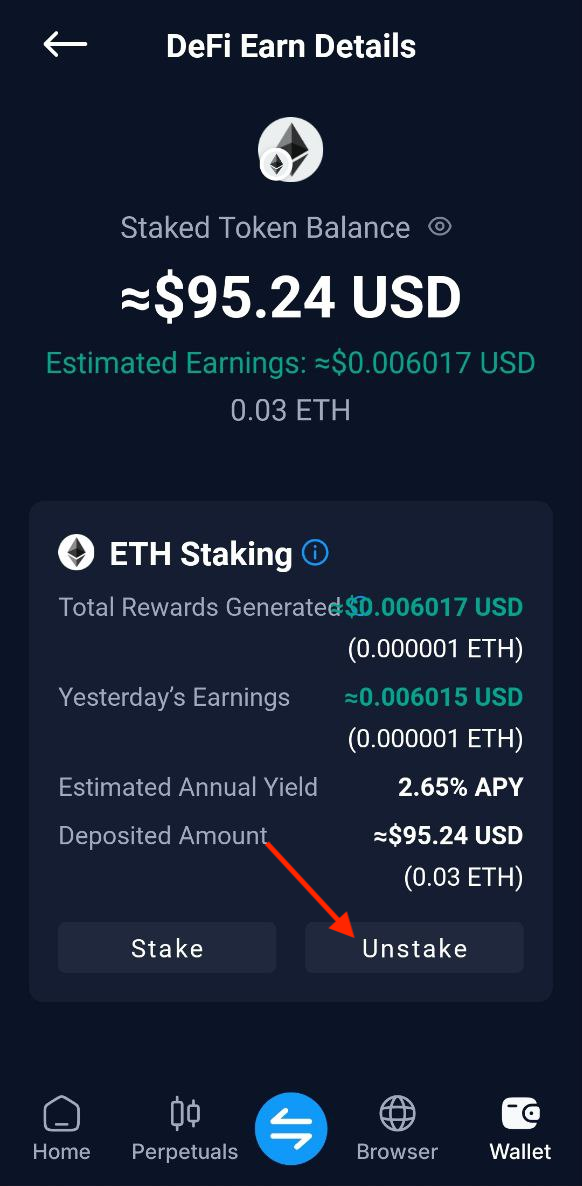
Click on the Unstake button on the ETH staking page.
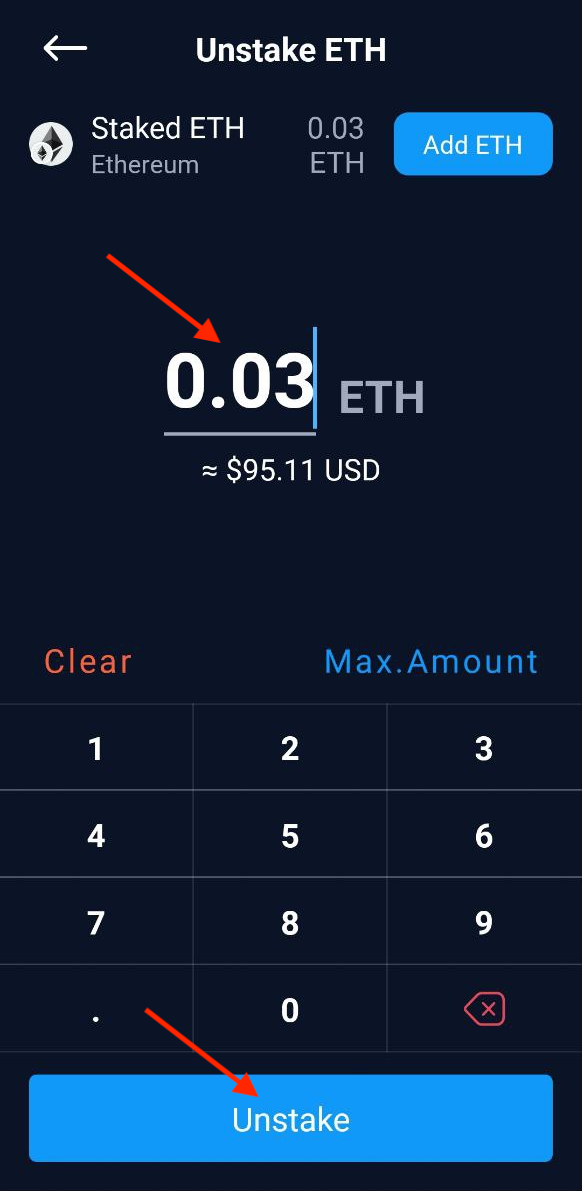
Enter the amount of ETH you wish to unstake and click on the Unstake button.
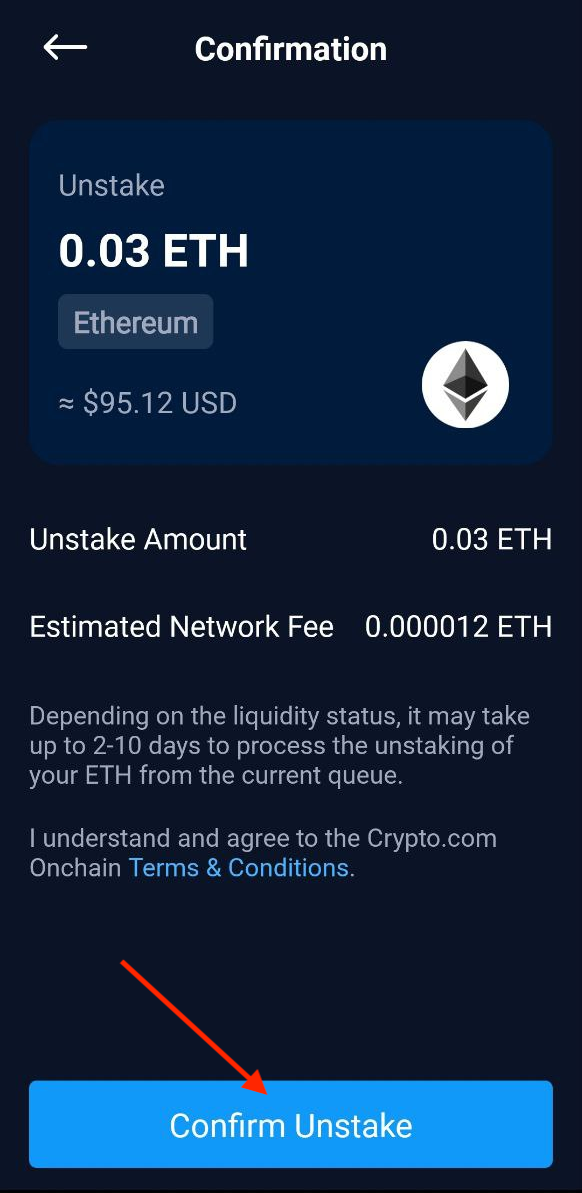
On the next page, it will show the unstaking details. Click on Confirm to proceed
Enter your password or use fingerprint/face id authentication to sign the transaction. Once the transaction is successful you will see the screen below.
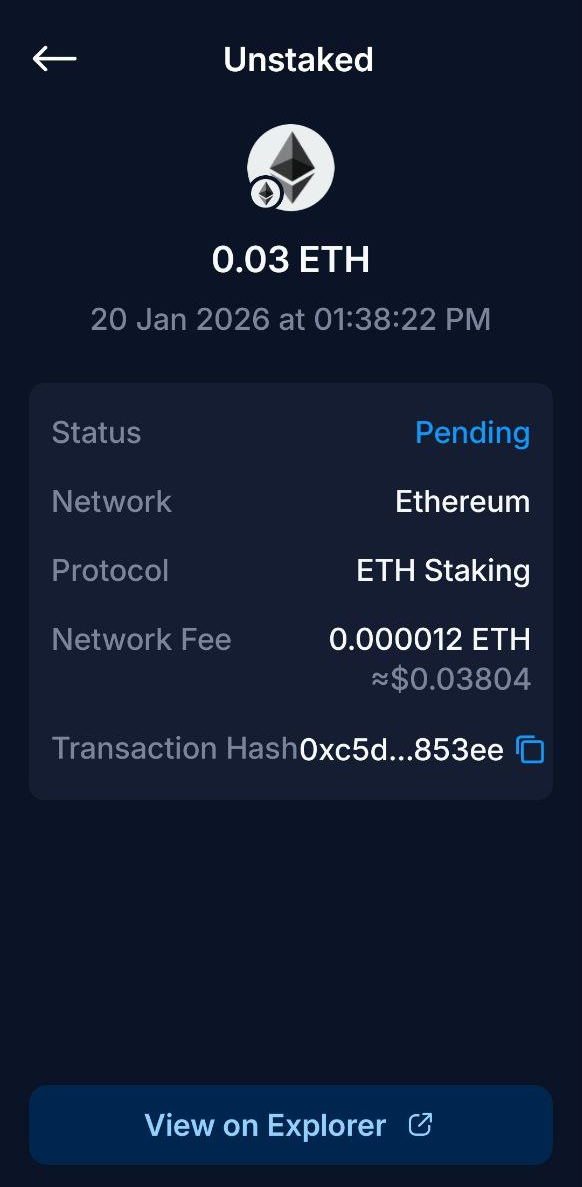
Request exit of the ETH from the pool staking contract is now completed. Once the ETH is ready, there will be a claim button to claim the ETH.
Step 2: Confirm the Exit has completed
You can check if the Ethereum exit process has completed for your position using this Dune dashboard.
Navigate to the query results section, and search for your Ethereum address in the search bar below:
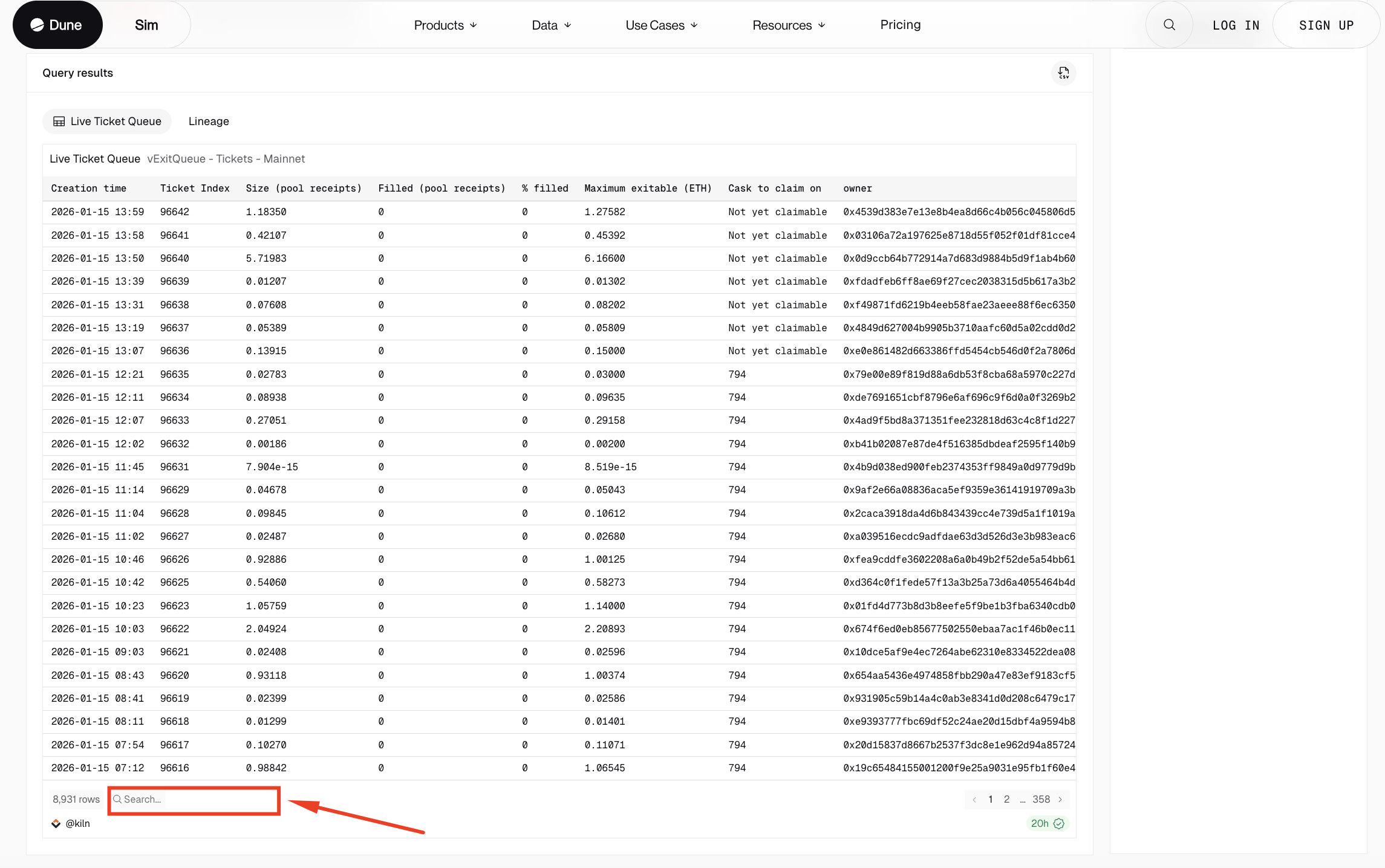
You should be able to proceed to claim your ETH once your position's status changes from Not yet claimable to a cask number in the Cask to claim on column:
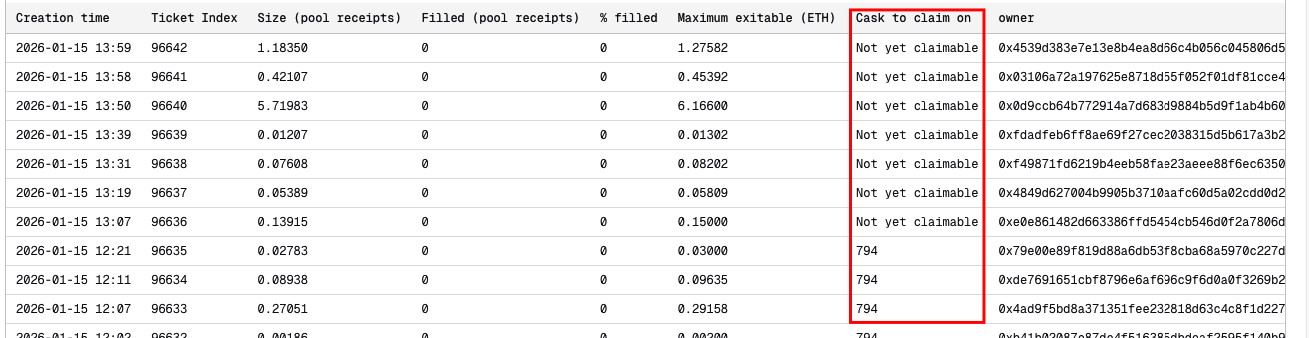
If your position is already claimable, proceed to initiate the claim transaction from Onchain wallet with the steps below:
Step 3: Claim ETH
Refer to above guide to enter your ETH staking position page and click on the withdraw button.
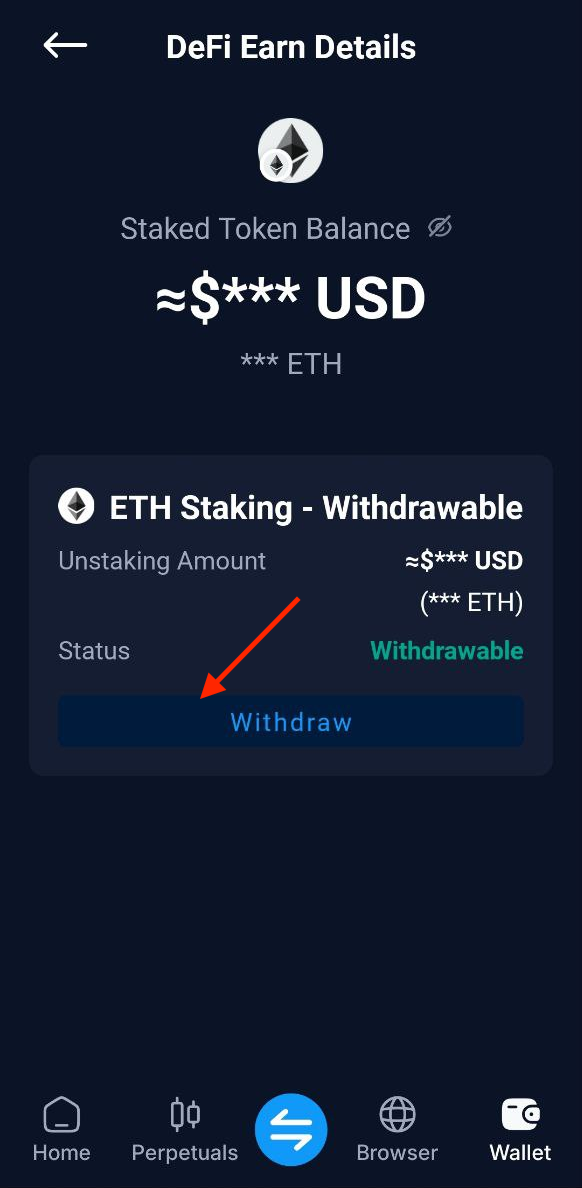
On the next page it will show the withdrawal details. Click on the Confirm withdraw button.
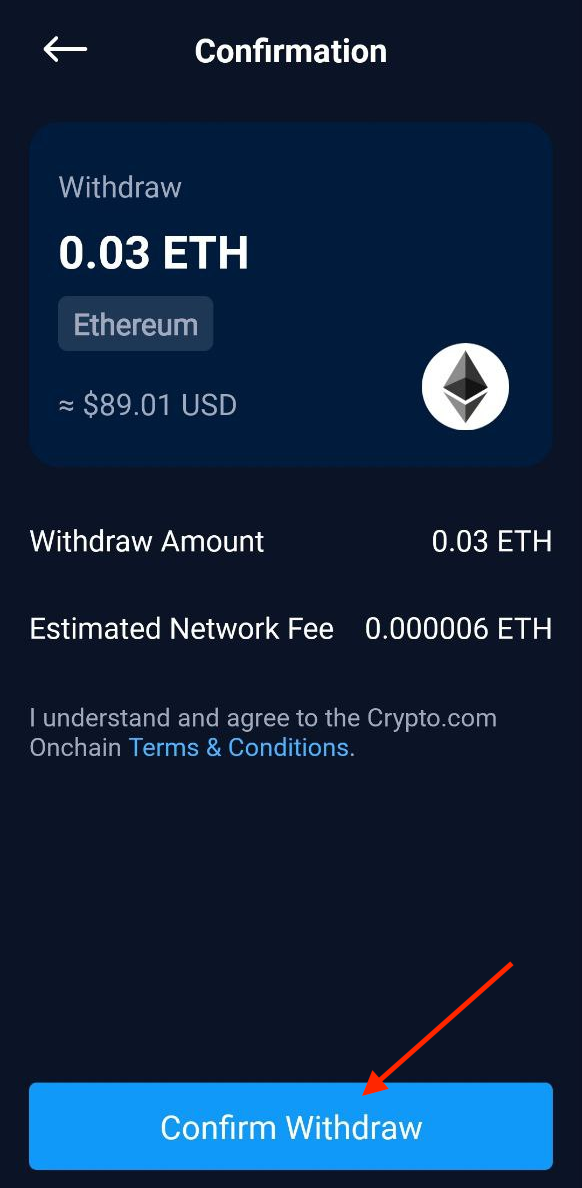
Enter your password or use fingerprint/face id authentication to sign the transaction. Once the transaction is successful you will see the screen below.
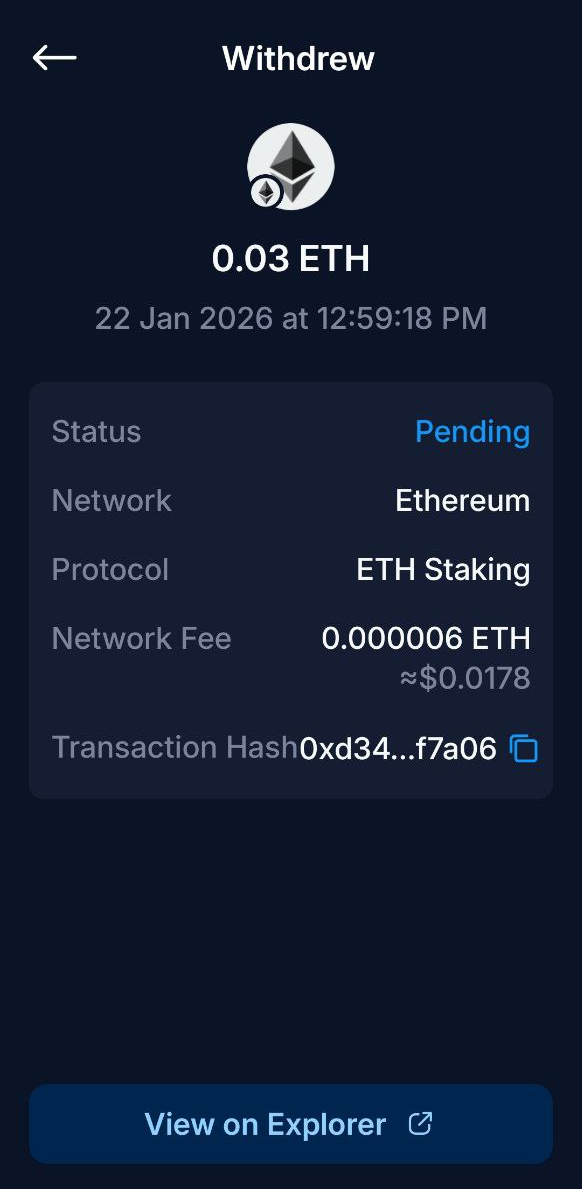
The ETH is now successfully claimed back to the wallet address.