How to stake ETH on Crypto.com Onchain Wallet
Last updated: January 26, 2026
This article will guide users on how to stake ETH to the Crypto.com pool staking contract.
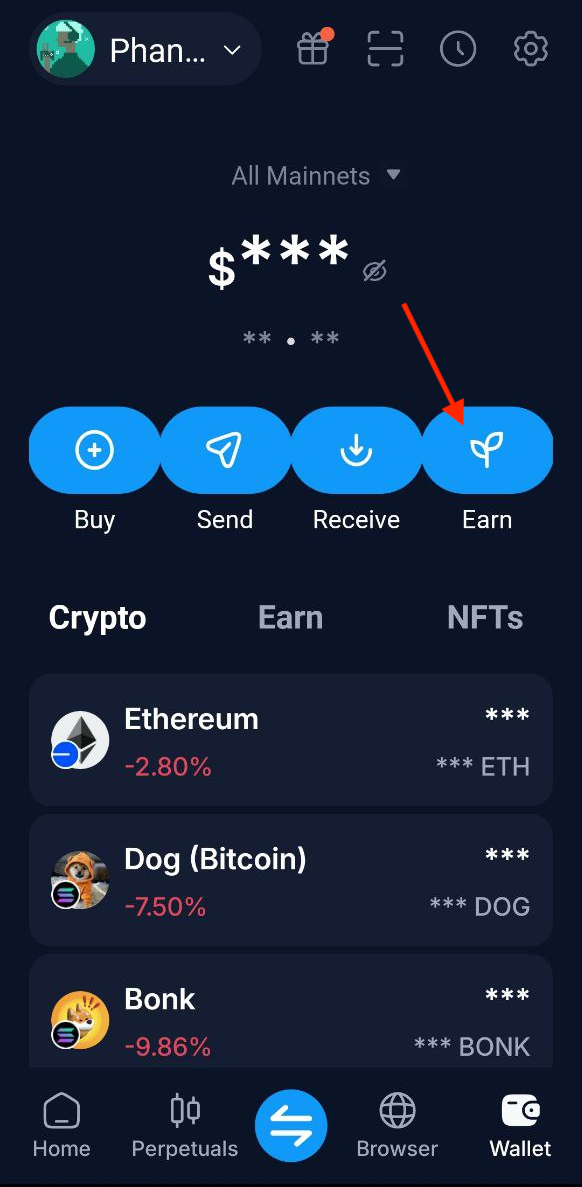
Click on the Earn section from Onchain Wallet homepage.
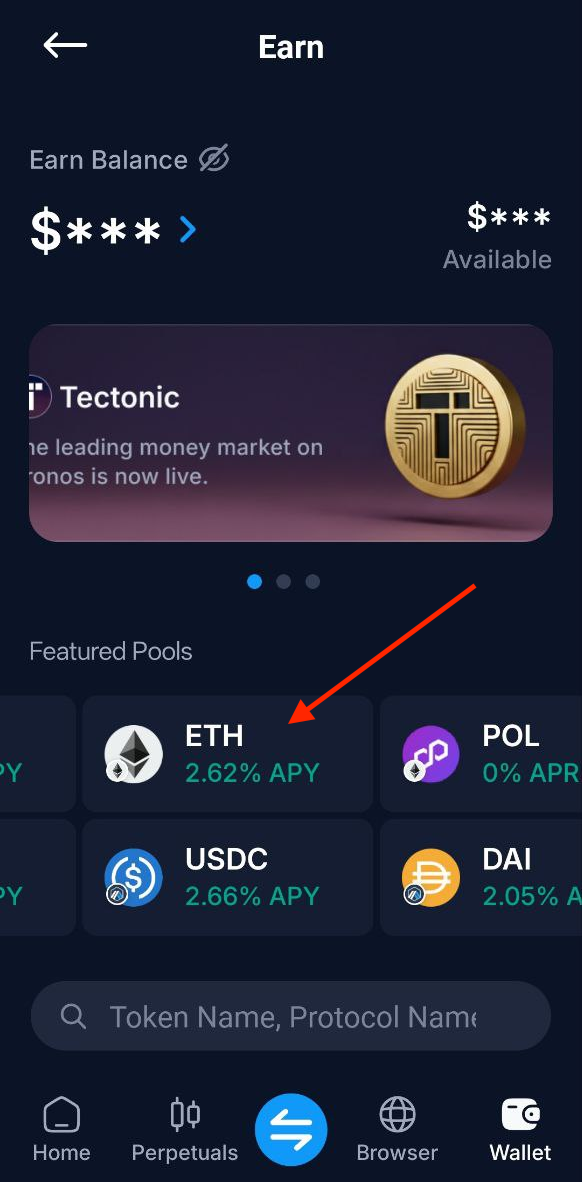
Scroll right under Featured Pools until ETH and click on ETH
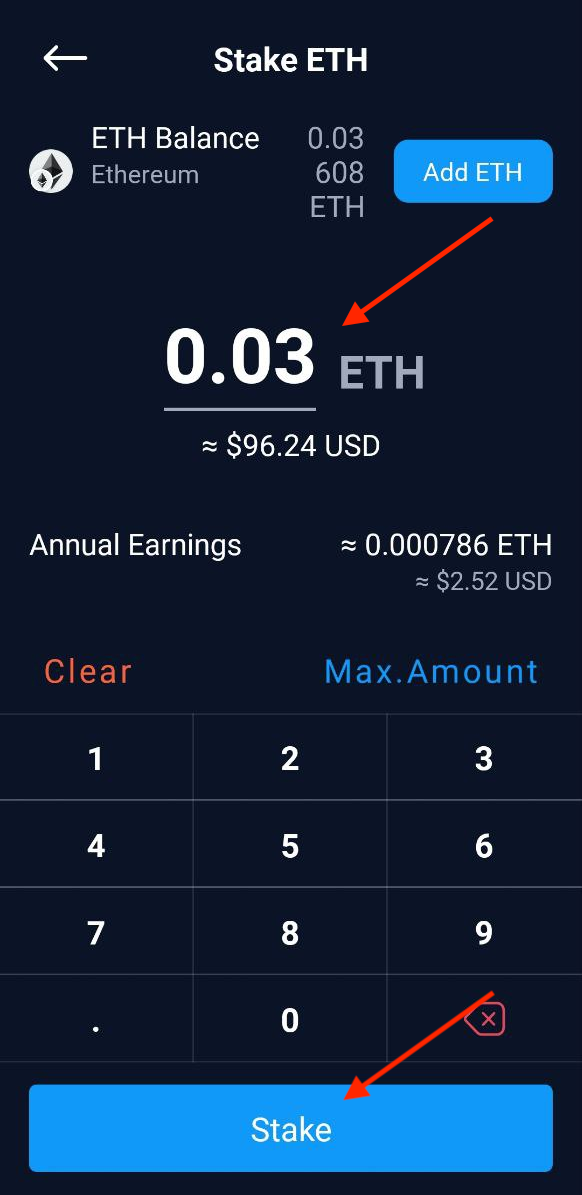
Enter the amount you wish to stake and click on "Stake" button
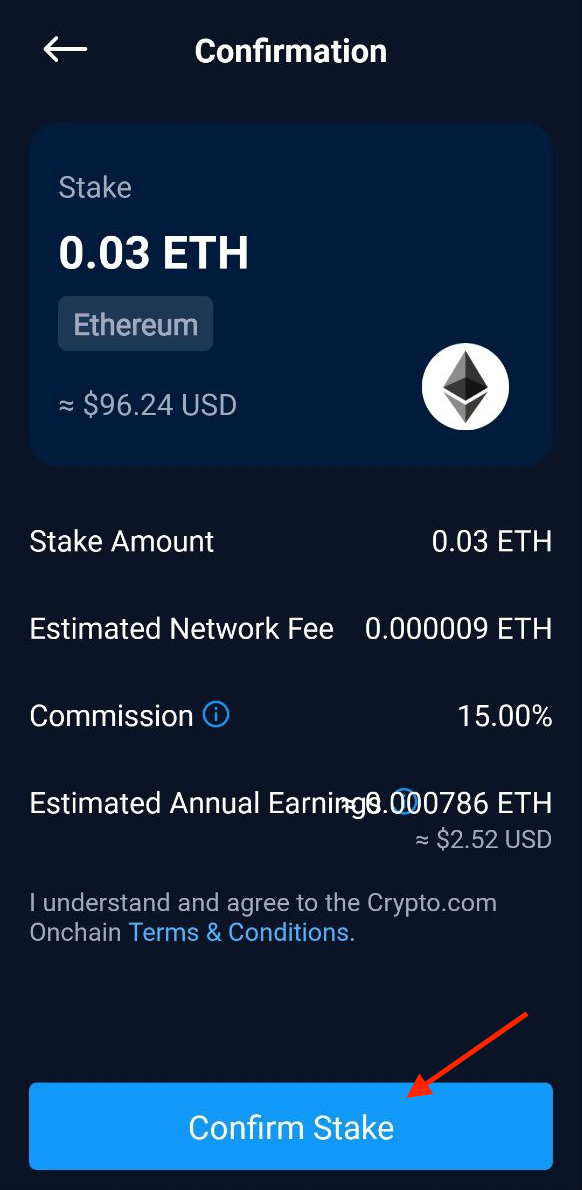
On the next page, it will show the staking details. Click on Confirm to proceed
Enter your password or use fingerprint/face id authentication to sign the transaction. Once the transaction is successful you will see the screen below.
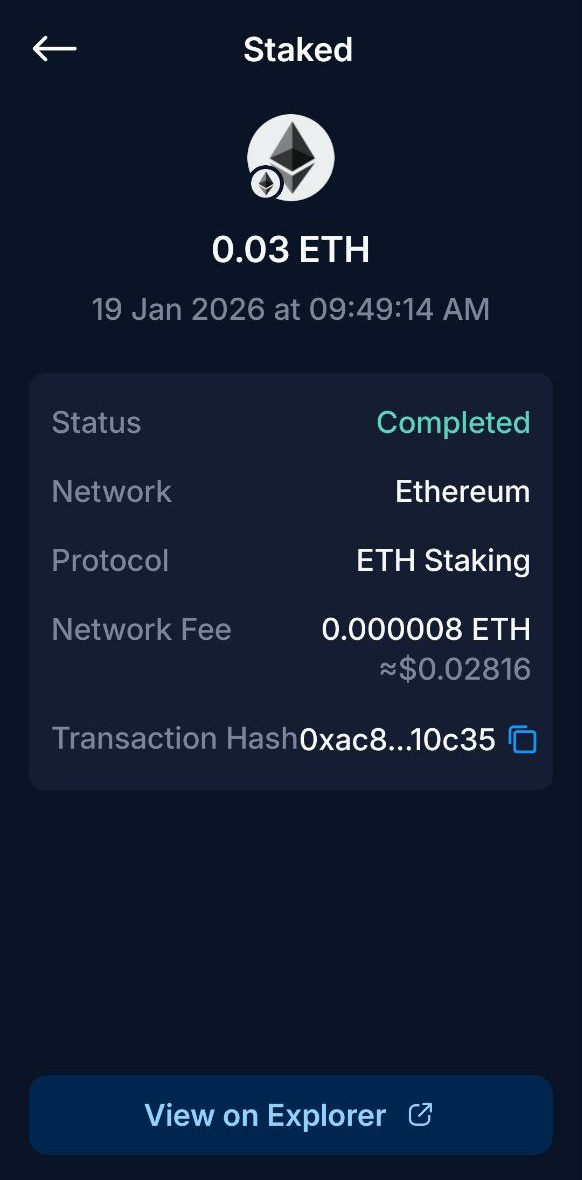
Congratulations, you have successfully staked your ETH.