How to Withdraw - ETH Pooled Staking in Ledger Wallet
Last updated: June 30, 2026
Kiln Pooling staking mainnet smart contract address in Ledger Wallet is:
0x5DB5235b5C7e247488784986e58019fFFd98FdA4
Do not interact with other addresses.
Unstaking ETH from the staking pool is a 3-step process that requires the user to initiate two different contract calls to the staking pool contract and wait for the position to exit the queue:
Request Exit
Confirm your position has exited the queue.
(NOTE: this will take some time, and is variable: due to how the Ethereum Network operates - see below)
Claim the ETH
Step 1: Request Exit
To begin the withdrawal process, you will need to request to exit from the pool. You may request to exit your entire position or a portion of it.
Follow the steps in the video below to request exit from the pool using the Kiln Widget:
Once the request exit call is completed successfully, you will need to wait for the position to complete the exit queue wait time.
This exit time is variable and set by the Ethereum network and not by Kiln or anyone else. The duration of the exit time may change depending on the amount of ETH you want to exit, the current status of the smart contract's liquidity, and the overall Ethereum exit queue length.
Step 2: Confirm the Exit has completed
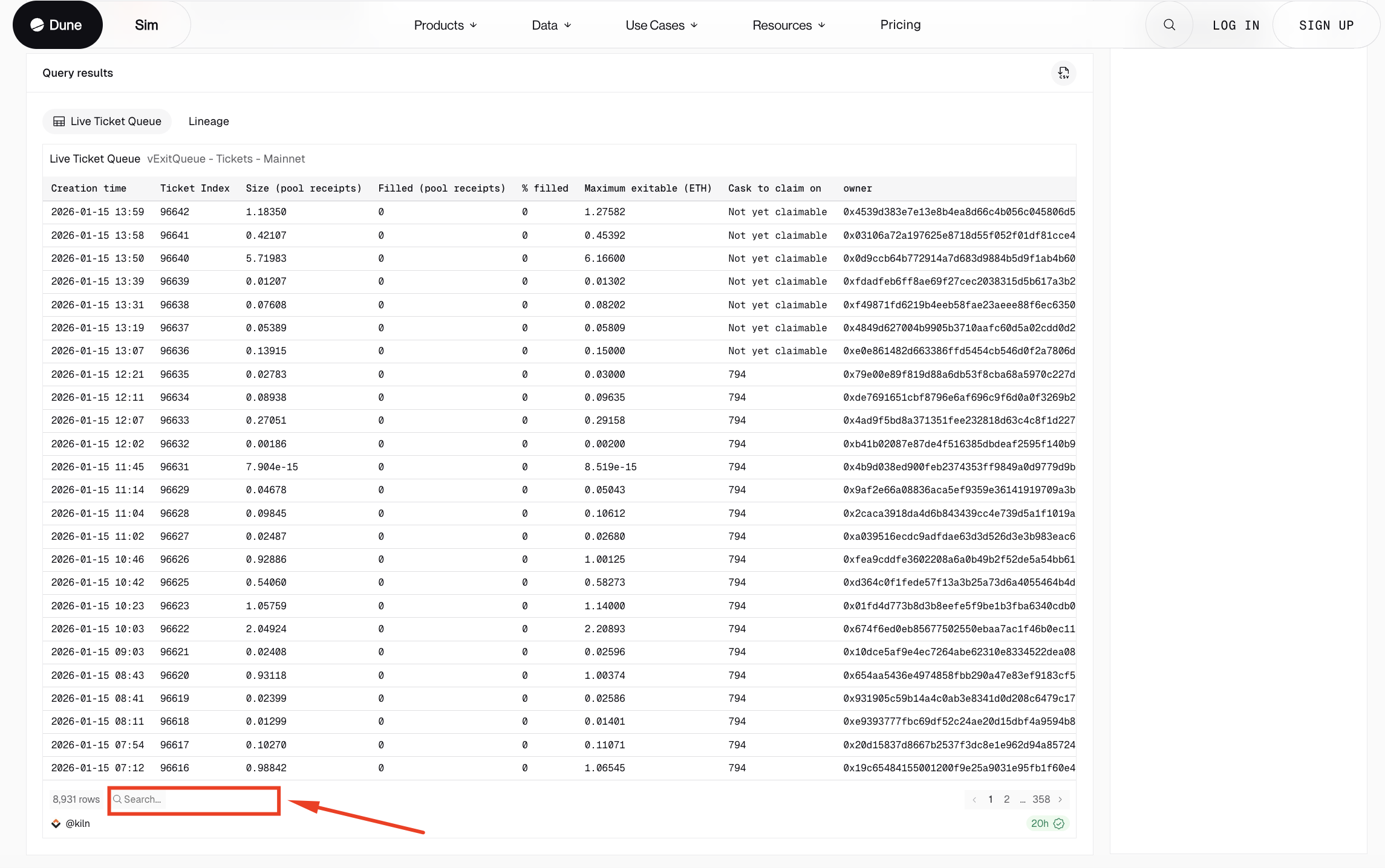
You can check if the Ethereum exit process has completed for your position using this Dune dashboard.
Navigate to the query results section, and search for your Ethereum address in the search bar below:
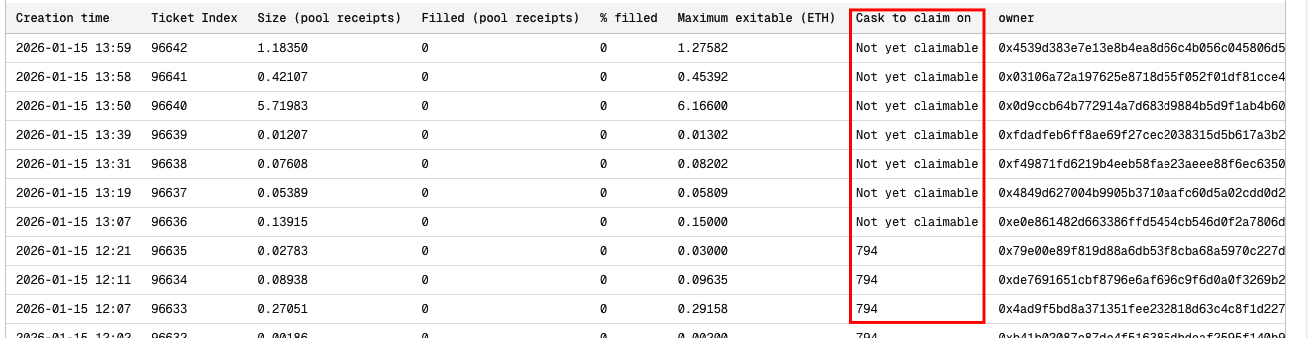
You should be able to proceed to claim your ETH once your position's status changes from Not yet claimable to a cask number in the Cask to claim on column:
If your position is already claimable, proceed to initiate the claim transaction from the Kiln Widget as demonstrated in the video below:
Step 3: Claim your ETH back into your Wallet
Follow the video below to claim your ETH back to your wallet using the Kiln Widget.
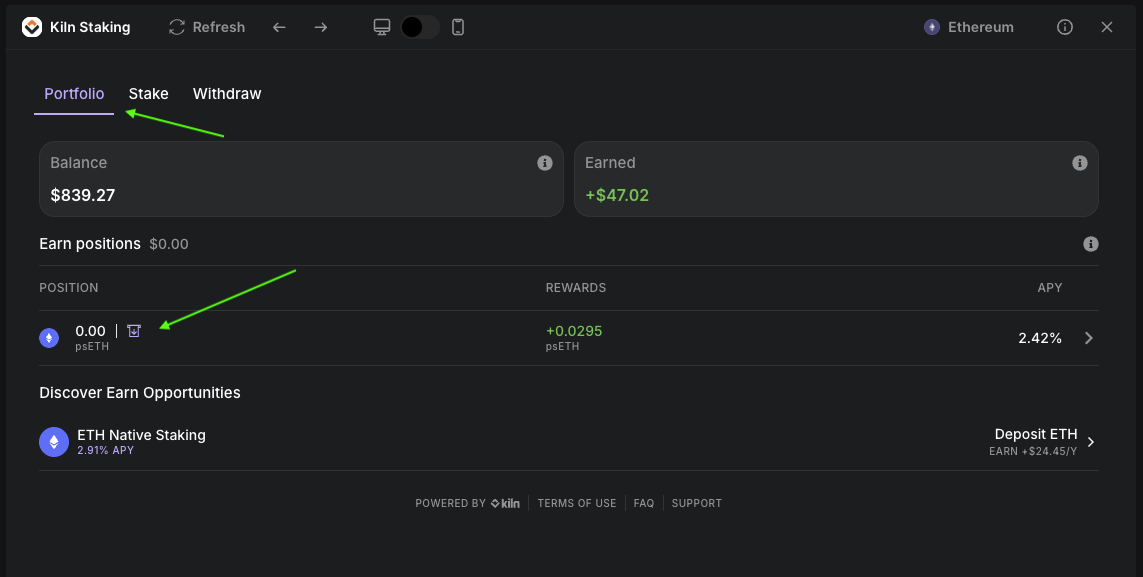
To claim back you ETH, click on Portfolio and your position.
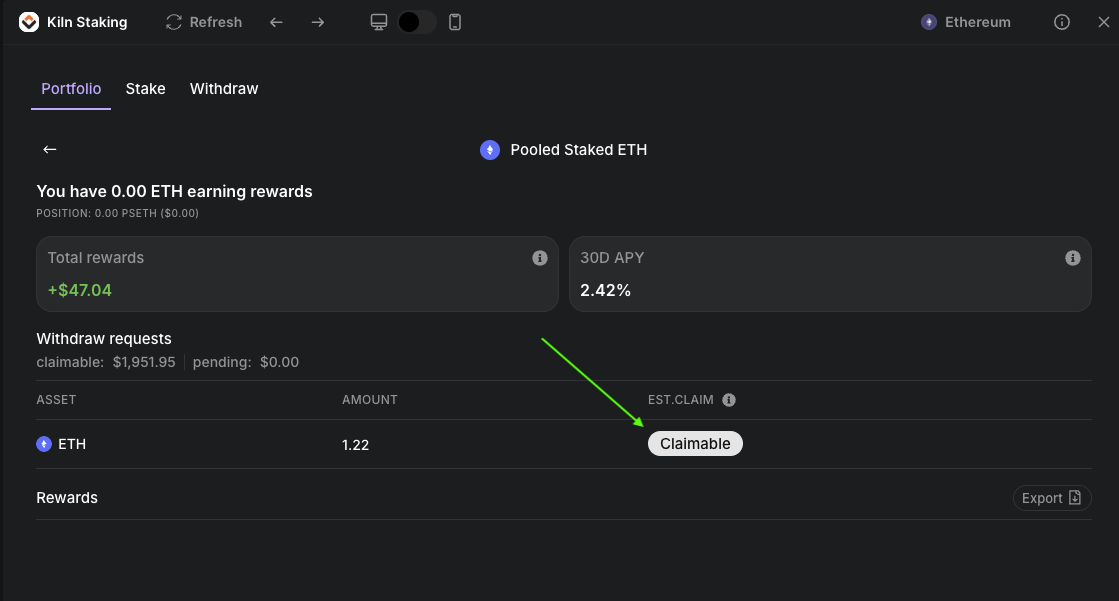
On the next screen, click on the Claimable button to being the claim process.