How to Withdraw From your Coinbase Staking app - ETH Pooled Staking in Ledger Wallet
Last updated: November 19, 2026
Coinbase Pooling staking mainnet smart contract address in Ledger Wallet is:
0xC4DCB059dD98B45B090Da8982234C61D0b9e84f9
Do not interact with other addresses.
Unstaking ETH from the staking pool is a 3-step process that requires the user to initiate two different contract calls to the staking pool contract and wait for the position to exit the queue:
Request Exit
Confirm your position has exited the queue.
(NOTE: this will take some time, and is variable: due to how the Ethereum Network operates - see below)
Claim the ETH
To access Coinbase Staking dapp, go to Discover section within Ledger Wallet and search for Coinbase.
Step 1: Request Exit
To begin the withdrawal process, you will need to request to exit from the pool. You may request to exit your entire position or a portion of it.
Follow the steps below to request exit from the pool using the Coinbase Staking app:
Click on the Unstake tab and enter the desired amount to unstake
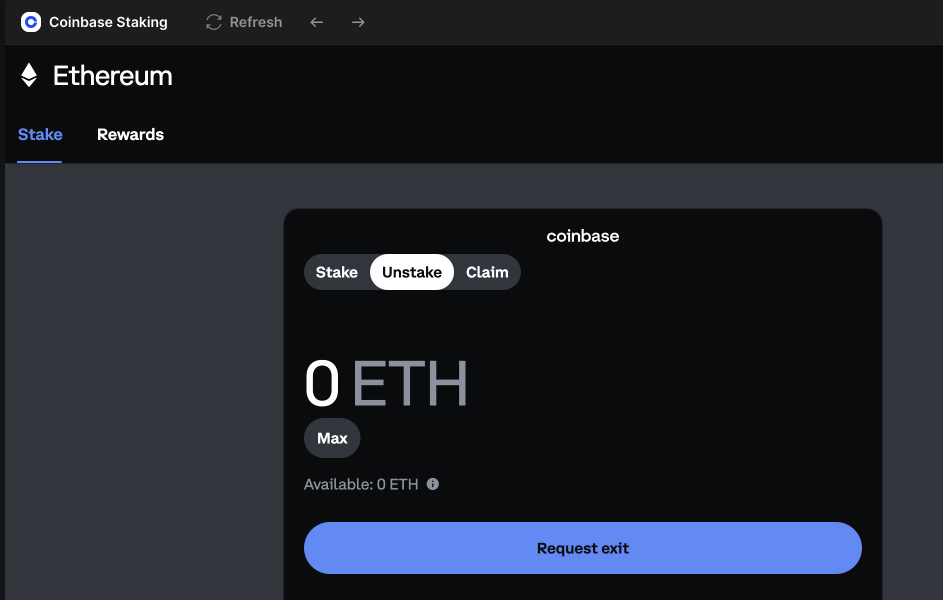
Follow the steps to sign the transaction.
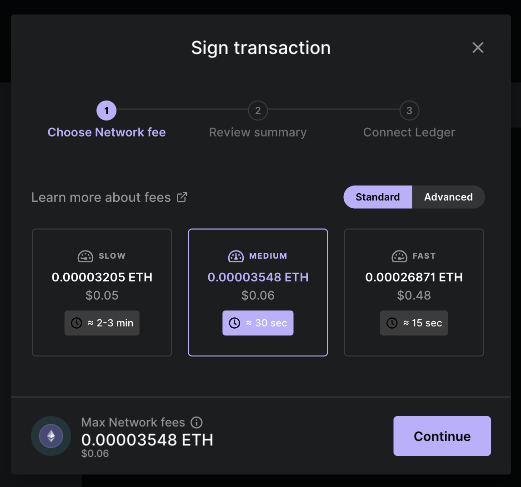
Once the request exit call is completed successfully, you will need to wait for the position to complete the exit queue wait time, which usually takes a few days.
This exit time is variable and set by the Ethereum network and not by Kiln or anyone else. The duration of the exit time may change depending on the amount of ETH you want to exit, the current status of the smart contract's liquidity, and the overall Ethereum exit queue length.
You can see under the claim tab, you will have pending claimable ETH.
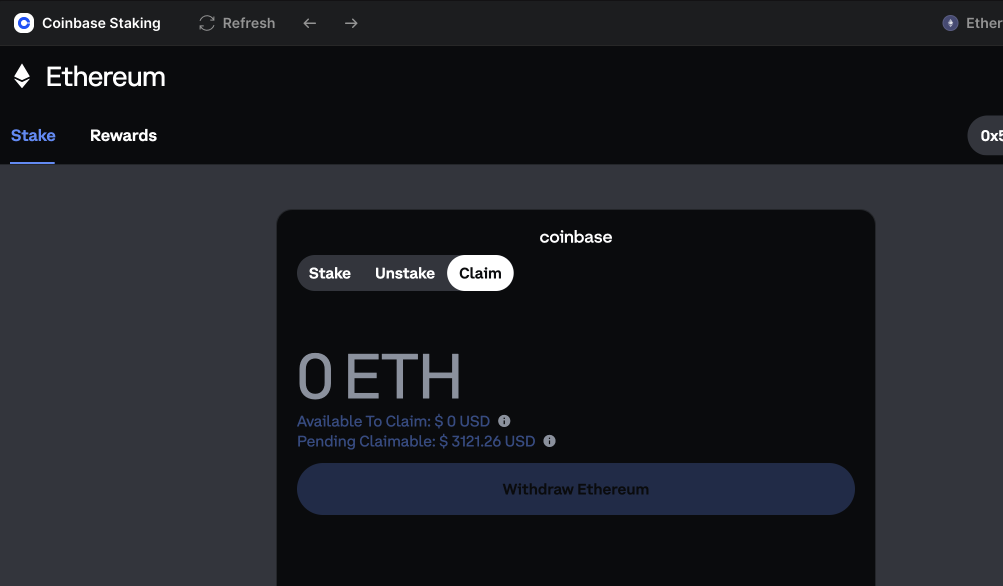
Step 2: Confirm the Exit has completed
You can check if the Ethereum exit process has completed for your position by accessing the Claim tab after 5 days. You will be able to see the amount as available to claim.
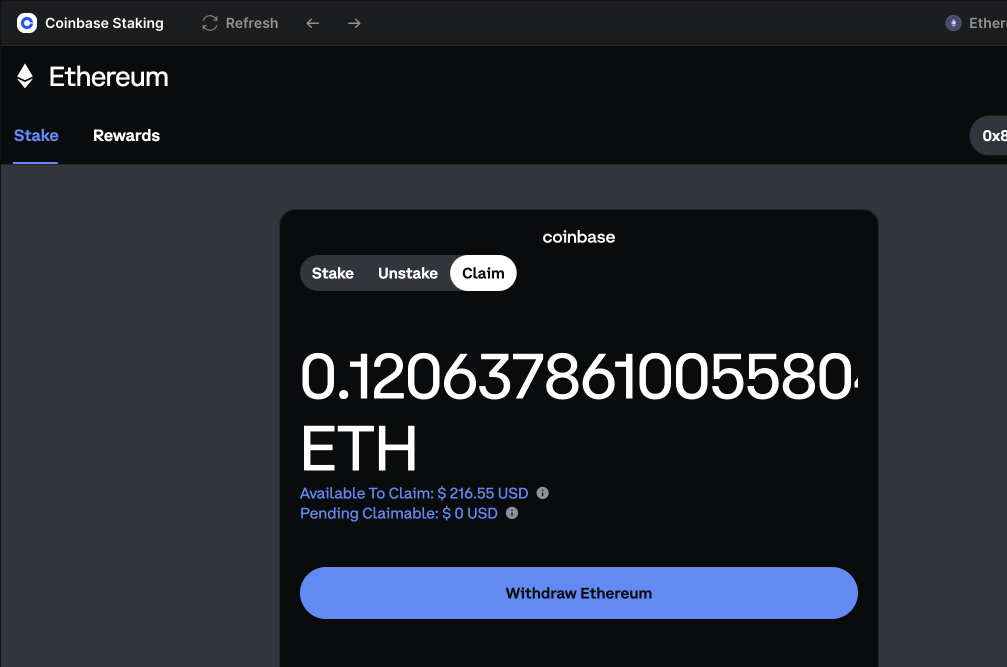
Step 3: Claim your ETH back into your Wallet
Click on the Withdraw Ethereum button to claim your ETH back. Follow the steps to sign the transaction to claim yur ETH back.